
#ICTips: Connect to AC Guest Wifi
The AC Guest Wi-Fi is an internet connection facility for guests visiting Ayala Corporation office. Your host may provide you with the username and password credentials, or you can follow the self-service guide to register and access the Wi-Fi on your own. Each credential can be used by up to 3 devices with a 12-hour time limit. Should you need to extend your access, please reach out to the AC ICT Helpdesk for assistance.
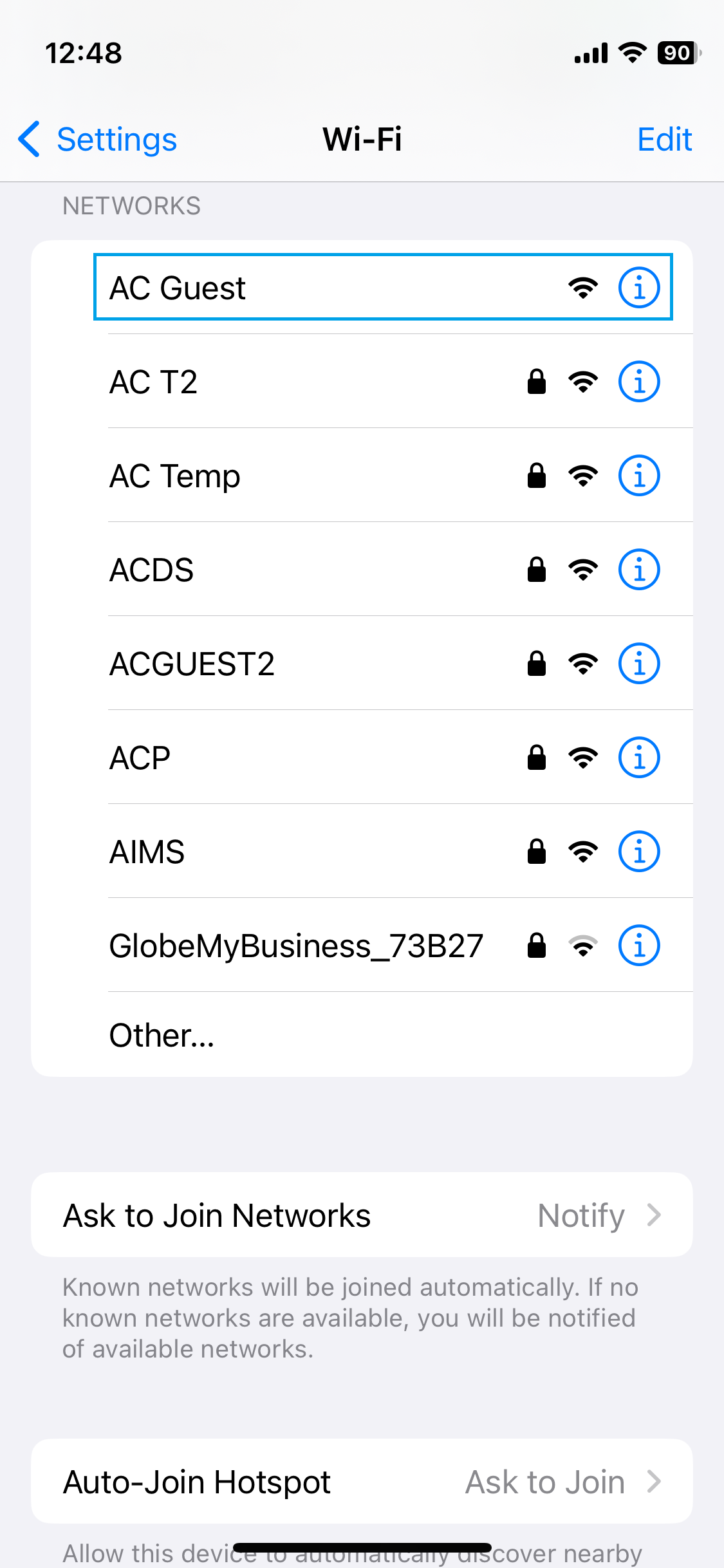
On your mobile device's Wi-Fi menu, select the AC Guest network and wait for the captive portal page to load
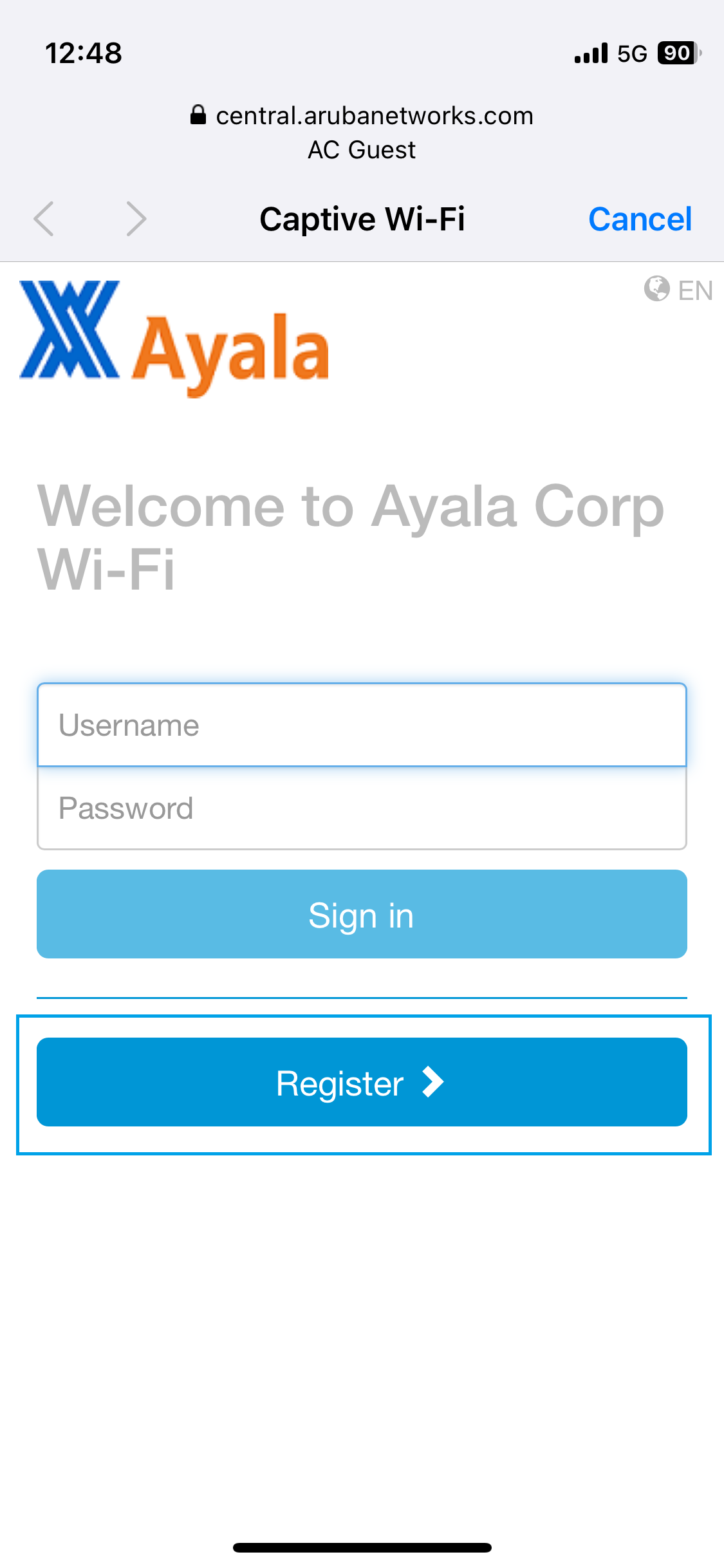
If you already have the username and password credentials, you may use them to Sign in otherwise, click on Register
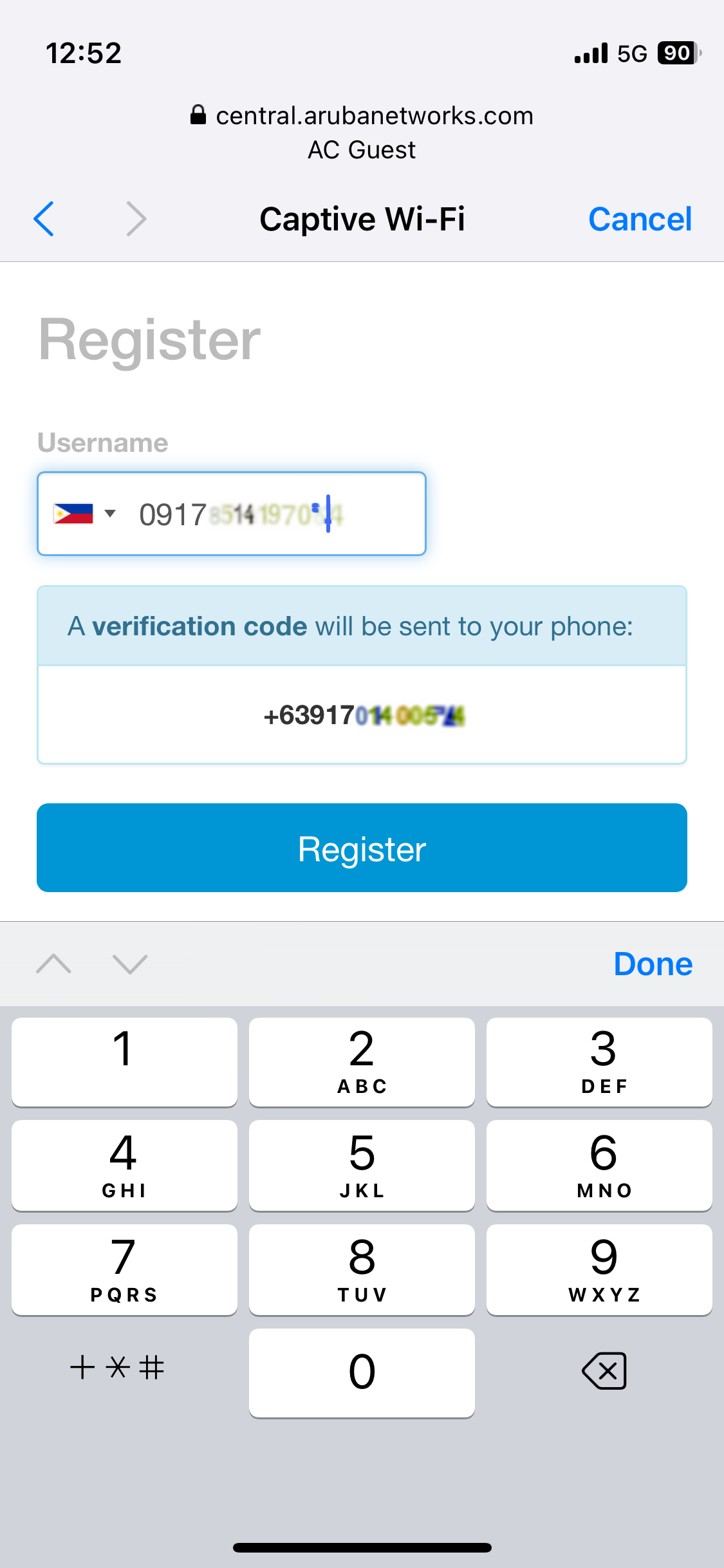
You will be required to provide a mobile number where you will receive a one-time pin (OTP) to Register - Please ensure that you have a mobile phone signal to ensure successful receiving of the OTP
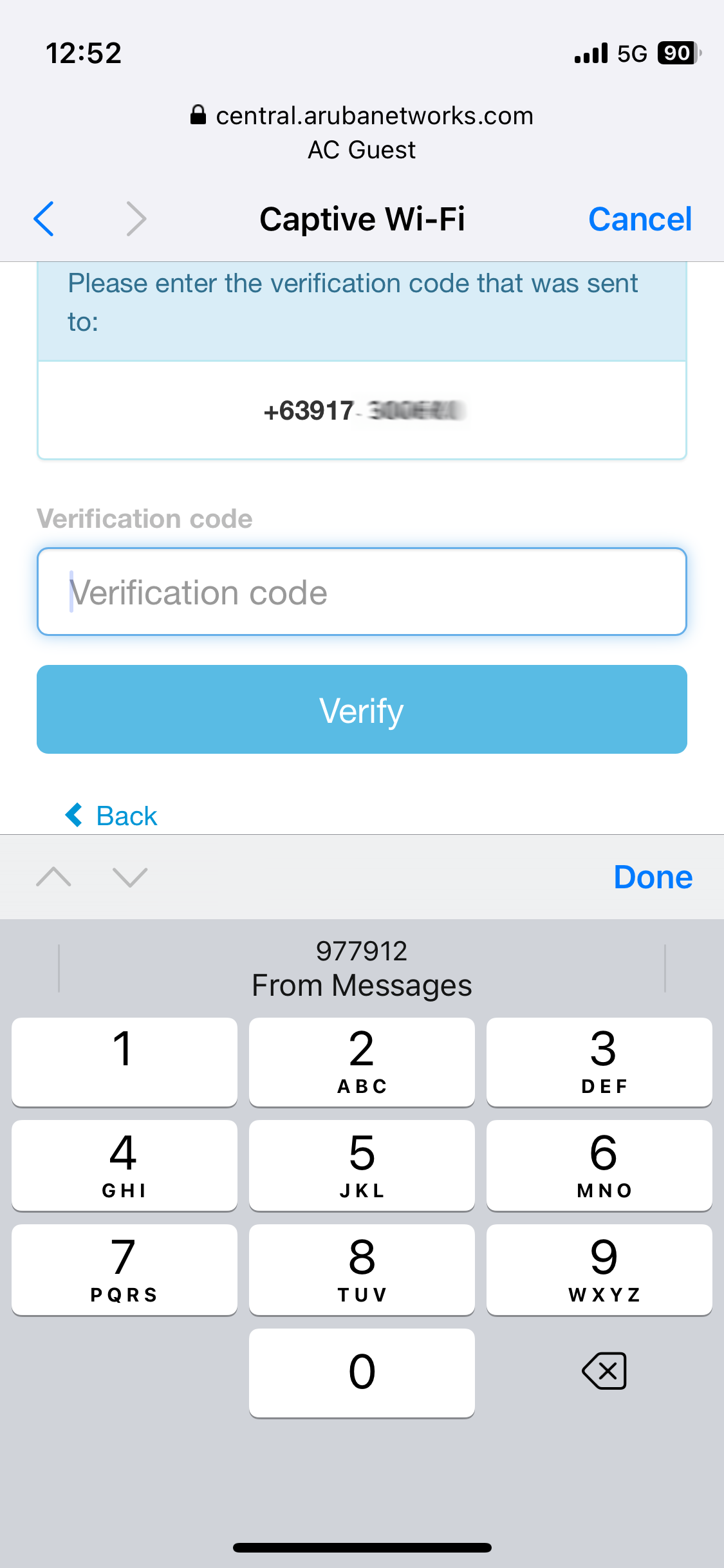
Copy or encode the verification code OTP sent via SMS by HPEGuest and click on Verify
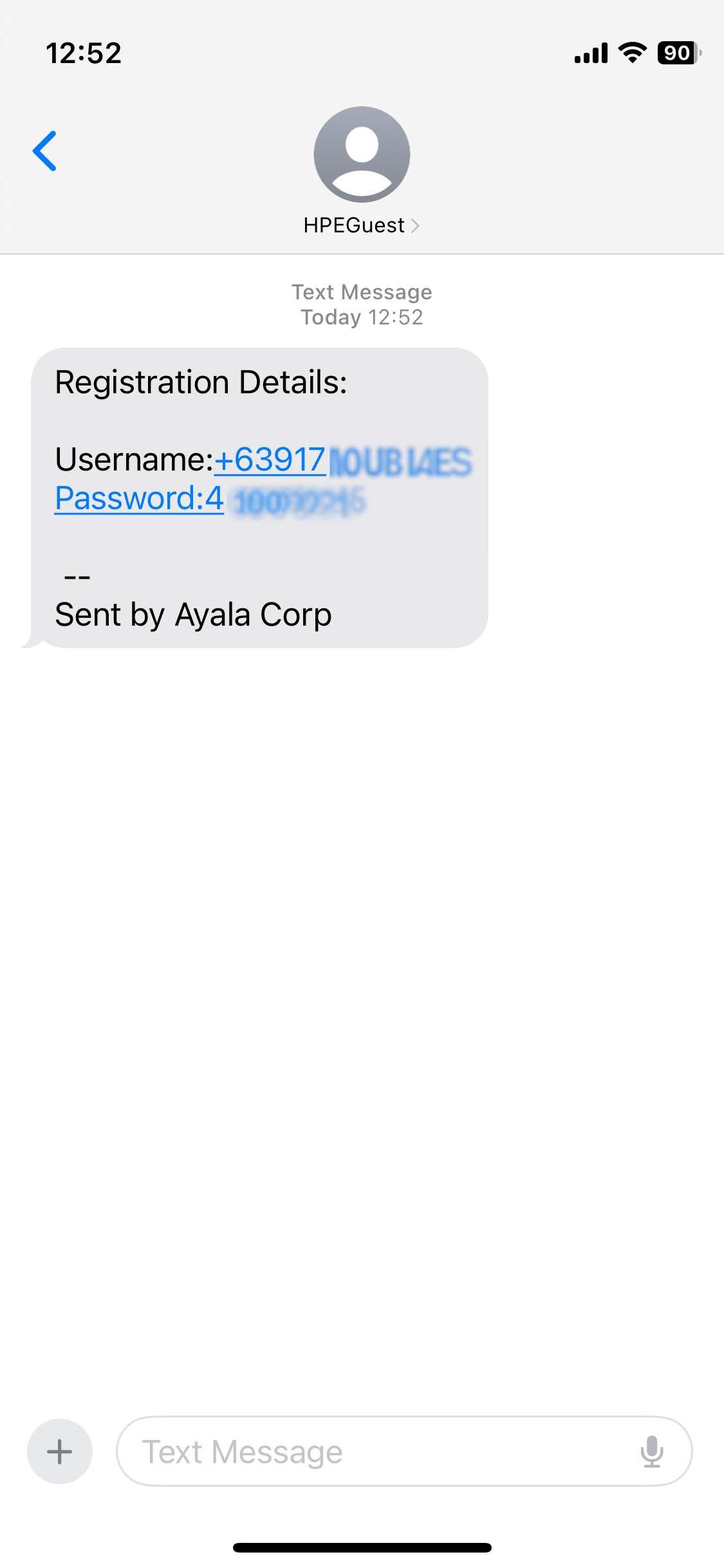
If successful, you will be redirected to the ayala.com landing page and receive a username and password credential

Your credentials will be sent via SMS by HPEGuest where you can use for up to 3 devices subject to terms and conditions
About the author
Information and Communication Technology
The ICT Department of the Company exists for the purpose of identifying, analyzing, selecting, implementing, supporting and maintaining ICT infrastructure and systems that increase overall organizational productivity and performance while also supporting the Company’s overall strategic vision and objectives. The support provided by the ICT Department plays a critical role in the Company, from strategy and policy planning, design of business processes, organizational structuring, resource management, and operational planning and control.